

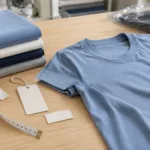
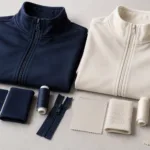
Production should follow the latest tech pack that has been explicitly approved, matched to the approved sample for the relevant stage. If the file and sample disagree, do not let the factory guess which one takes priority: identify the discrepancy, agree the intended specification in writing and issue a corrected release. Clear version control matters because a measurement, material or decoration change can otherwise reach one team but not another.
Assign Versions to the Tech Pack and Sample
Give each released tech pack a version identifier and date, and state whether it is a draft, under review or approved for production. Put the identifier in the document itself, not only in its filename. Apply the same reference to the sample approval record, so a physical garment can be traced to the specification it was checked against.
Keep prior versions available as a record, but mark them obsolete so they cannot be mistaken for current instructions. Where a folder contains separate measurement charts, artwork, labels or packing details, record which revision of each file belongs to the release. A single “latest” folder is not enough if individual attachments can be replaced without notice.
Also identify the sample’s purpose. A prototype, fit sample, size set and pre-production sample answer different questions; approval of an early sample does not automatically confirm every production detail. Ninghow’s sampling guidance distinguishes these sample stages. Record the stage, materials used and any accepted deviations. A substitute fabric, for example, may help assess construction but cannot by itself confirm the final fabric’s appearance or performance.
| Record item | What to identify | Why it matters |
|---|---|---|
| Tech pack | Version, date, status and included files | Prevents teams from working from different specifications |
| Approved sample | Sample stage, identifier and accepted deviations | Clarifies what the physical reference does and does not confirm |
| Approval record | Approver, decision date and linked version | Shows which document and sample were actually authorized |

Link Sample Comments to Specific Tech Pack Fields
A comment such as “make the sleeve better” is difficult to act on consistently. Link every sample observation to a location in the tech pack: for example, a named measurement point, seam, fabric panel, print placement or label. Describe what was observed, the requested outcome and whether the change is approved or still under discussion.
For each comment, record the decision, the person responsible for approving it and the document field that must change. If a sample is accepted with a deviation, state that plainly rather than silently treating the deviation as a new specification. This prevents a one-off sample adjustment from becoming an unintended production standard.
Keep the comment log beside the controlled tech pack, and use a clothing manufacturer handover checklist to confirm that current files, approvals and unresolved questions travel together. At handover, separate closed decisions from open items; unresolved points should name an owner and the next approval needed. Do not allow AI-assisted rewriting or document cleanup to overwrite an approved value without explicit review and authorization.
Review Changes Before Updating the Approved Record
Before changing an approved tech pack, compare the proposed revision with both the previous release and the physical sample it describes. A file-to-file comparison reveals what was edited; a sample check reveals whether the written change reflects the intended garment. Resolve any mismatch before updating the approval status, rather than assuming the newest file is correct simply because it is newer.
Review the effects of each change in context. A fabric substitution can alter appearance, fit, sewing behavior or performance even when the fiber content and weight look similar. A revised measurement may affect grading or the fit of other sizes. A decoration change can alter placement, color matching or the approval needed for other logo versions. Where testing or a wearer trial supports a decision, make sure the evidence refers to the relevant material or finished garment and the correct revision.
Record the proposed change, reason, affected fields and decision in the change log. Identify who must review it, and note any cost, timing or reapproval implications before work proceeds. The review should be proportionate: a corrected file label may need no sample change, while a new fabric or construction detail may require an updated sample and checks on affected requirements.
Treat substitutions and AI-assisted edits as proposals, not approvals. Preserve existing approved values unless the responsible approver confirms a specific change. If an automated rewrite makes a value clearer, compare it against the source and retain the original measurement, tolerance, material detail or artwork instruction unless a person with authority approves a revision. This is especially important when a polished rewrite might accidentally turn a qualified requirement into an absolute one.
For a change that affects a product claim, connect any supporting test report to the actual article and method; a report for a different material or sample does not establish the changed product’s result. Once reviewers agree, update the controlled file, increment its revision, and link the decision record to the new release.

Freeze the Production Release
A production release is a defined package, not just a file marked “final.” It should identify the approved tech pack and included attachments, the matching sample or approval record, the approval date and approver, and the status of any open items. Open items should state whether they block production or are explicitly accepted for later resolution, with an owner and next action. Do not leave that distinction to interpretation.
Before release, check that the technical details and sample reference agree, required decisions are recorded, and the production team can access the same controlled documents. For work that includes multiple sizes, colors or artwork versions, make the approved scope explicit so approval of one variant is not mistaken for approval of every version. Ninghow describes sample approval and order confirmation before bulk material purchasing in its order process; the practical control is to confirm the applicable release and any change impacts before purchasing or production proceeds.
After release, prevent obsolete files from circulating. Mark superseded documents clearly, move them out of the active production location where practical, and direct teams to the current controlled copy. Keep old revisions as a traceable record rather than deleting them: they help explain what changed and which instructions applied at an earlier stage.
Any later change should create a new revision and a recorded decision. Reassess affected materials, fit, construction, decoration, testing, cost and timing, then identify whether the sample, approval or other evidence must be renewed. Do not treat a verbal request, replacement attachment or revised filename as authorization by itself. Where a change affects purchasing or production already underway, confirm the operational impact with the responsible parties before implementation.
As a practical next step, prepare a release note that names the approved files and sample, lists open items and approvers, and states that subsequent changes require a new revision. For a production enquiry, share that controlled package and the intended product scope when you request a manufacturing quote.
Related resource: T-shirt manufacturing.
Frequently Asked Questions
Which version should a factory follow?
The factory should follow the latest explicitly approved production release, including its listed attachments and matching sample reference. A newer draft, replacement file or verbal change does not supersede that release until the responsible approver records the decision and the controlled documents are updated. If the sample and file conflict, pause the affected work and resolve the discrepancy in writing.
What if the sample differs from the file?
Record the discrepancy against the exact measurement, component, artwork or construction detail, then decide whether the sample or the specification represents the intended requirement. Identify who can approve that decision and whether a corrected sample or revised file is needed. Do not assume the sample overrides the tech pack, or vice versa; document the agreed reference before production continues.
Does approval of one sample approve every size, color or logo version?
Not automatically. A sample may confirm only its stated size, color, materials and decoration configuration. List which variants the approval covers, and decide whether other versions need separate checks, especially when a change affects fit, color matching, artwork size or placement. Keep the approval record specific enough that production can distinguish approved variants from those still under review.